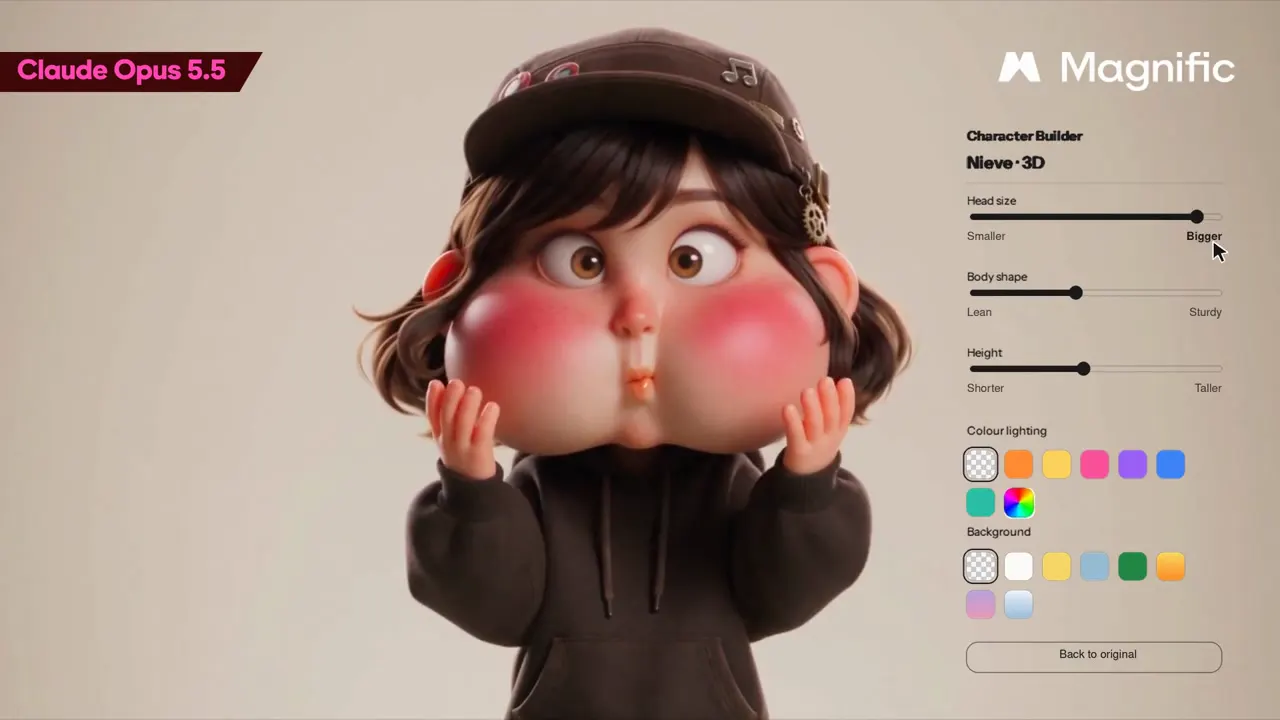
Build a live web editor for characters I generated on Magnific. Upload a PNG and tweak it in real time: head size, body shape from lean to sturdy, height, a colour lighting that tints the whole character, and a background for 4:5 PNG export. White UI, controls beside the character, zoom, save, delete and back to original
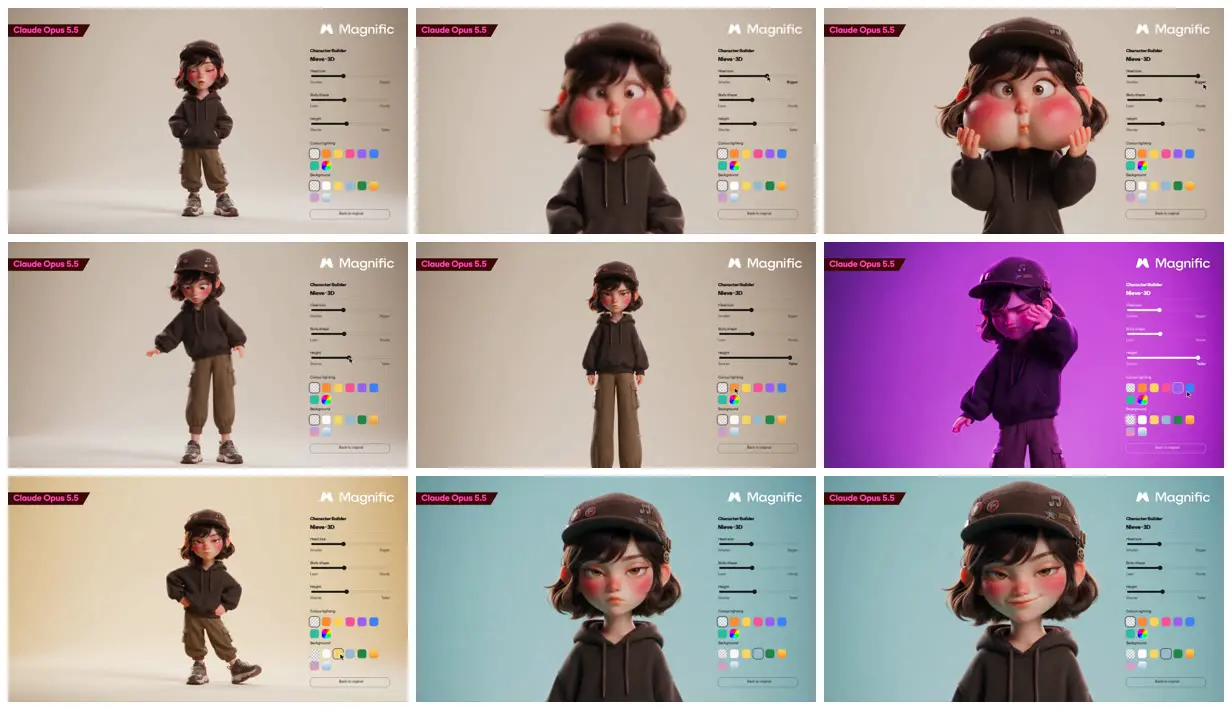
Stylized 3D art-toy character animation, Pixar-level render, 20 seconds, 16:9. The girl from the reference images (short wavy chestnut bob, brown cap with pins, freckles, rosy cheeks, dark brown oversized hoodie, olive cargo trousers, chunky trainers) on a seamless off-white studio backdrop, soft diffused light, playful squash-and-stretch cartoon physics.

SHOT 1: Full body, she stands bored with hands in her hoodie pocket, side-eye.
SHOT 2: Her head inflates like a balloon with a soft boing, she pats her cheeks in surprise, then it pops back to normal.
SHOT 3: Her legs stretch taller, she wobbles and looks down, unimpressed.
SHOT 4: A coloured light washes over her, orange to violet to electric blue, she shades her eyes.
SHOT 5: The backdrop snaps from lilac to yellow to powder blue, she strikes a new pose on each beat.
SHOT 6: Slow push-in to a close-up, she looks into camera, raises an eyebrow and smirks.
Make it yours. In the starter prompt, change the controls after "tweak it in real time:" to the ones you want. In the video prompt, replace the character description in brackets ("short wavy chestnut bob, brown cap with pins...") and rewrite the six SHOT lines.
Character builder and 3D toy animation
A Magnific demo: a browser editor with sliders for head size, body shape, height, coloured light and backdrop, built in one chat with Claude through the Magnific MCP, then a 3D art-toy animation of the same character changing shot by shot.
“All it takes is one chat.”
You'll need
- A Magnific account, with the Magnific MCP connected to Claude
- A character PNG with its background removed
How it was made
The character was generated on Magnific and its background removed first. The editor came from a single chat with Claude connected to the Magnific MCP; it runs in the browser, so edits use no credits. The creator doesn't name the model that made the animation.
Claude.ai · Claude Opus 5.5 · Magnific · Magnific MCP
Source and credit
X · Sep 28, 2026 · 1.6k likes · 202k views · 27 comments
Authorship not stated by the source
Published instructions: Two replies in the thread on X
Look notesby Reference
A soft 3D art-toy girl in a cap and oversized hoodie stands on a plain studio backdrop while an editor panel on the right shows the sliders and swatches that change her.
- Color
- Warm off-white backdrop that switches to magenta, butter yellow and powder blue, with a chocolate-brown hoodie and cap, olive trousers, rosy cheeks, and a strip of bright colour swatches.
- Type
- Small black sans labels in the panel (Character Builder, Head size, Body shape, Height, Colour lighting, Background), the Magnific wordmark top right, and a red "Claude Opus 5.5" tag top left.
- Framing
- 16:9 frames with the character centred or left of centre and the control panel pinned to the right edge. Shots alternate between full body and close-ups of the face; a cursor drags sliders and taps swatches.
- Structure
- Full body with hands in pockets, the head grown huge with puffed cheeks, hands on the inflated cheeks, legs stretched taller, a magenta light wash with her shading her eyes, a yellow backdrop pose, then a powder-blue close-up that ends on a smirk.