Show the photoelectric effect visually
Make it yours. Replace "the photoelectric effect" with the idea you want animated. The skill's launch post also prompts with "Please use manim-video skill’s full potential and animate:" followed by the topic.
The photoelectric effect, in Manim
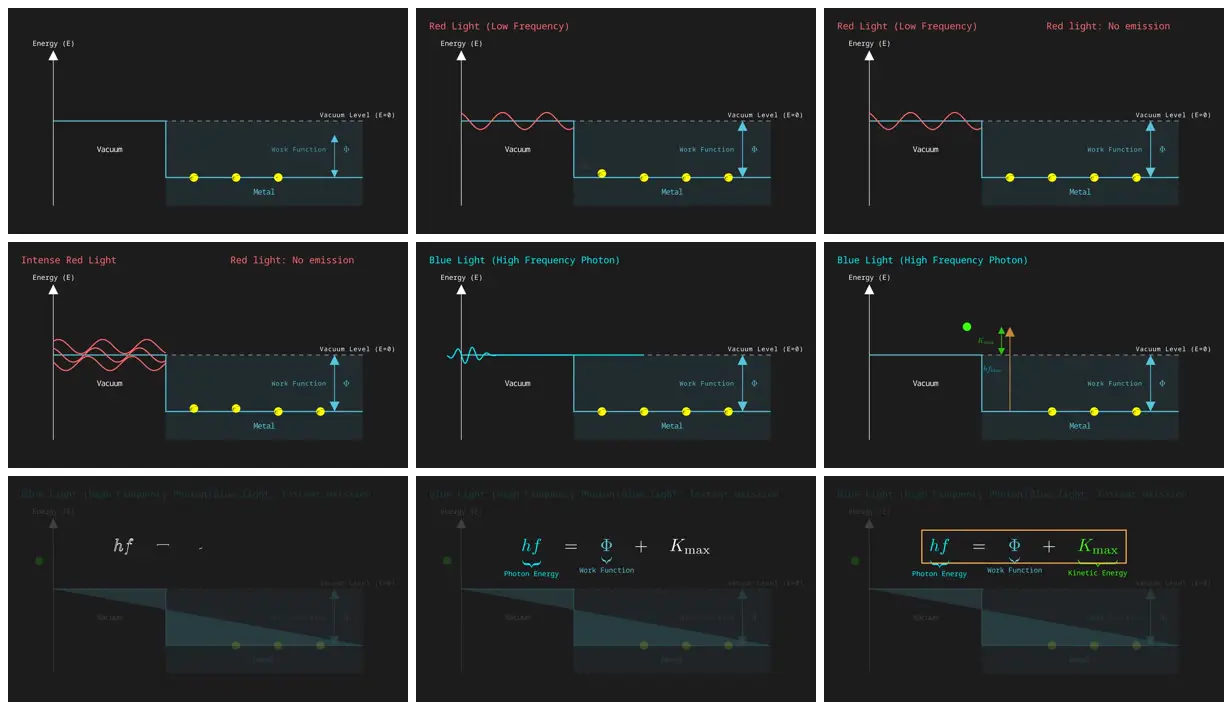
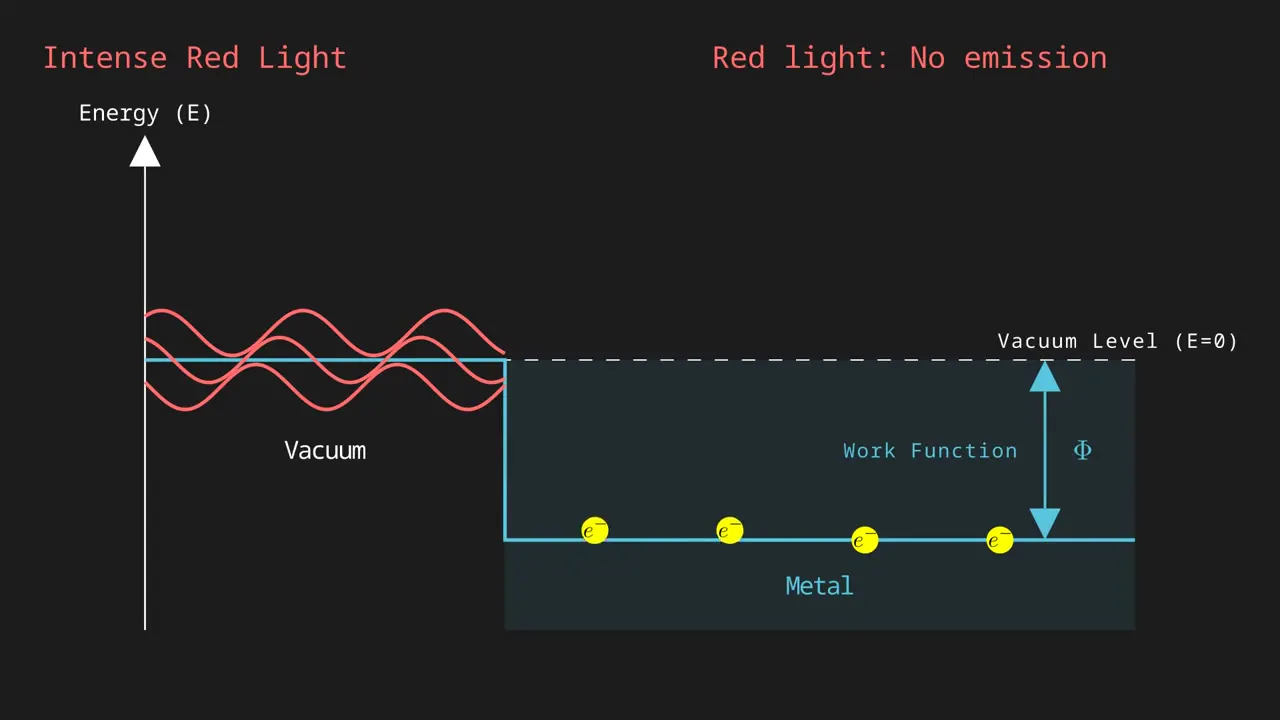
A 44-second silent 3Blue1Brown-style Manim animation of the photoelectric effect, made by Gemini Flash 3.5 from a one-line prompt with the open-source manim-video skill, which plans the piece, writes the scenes, renders in Docker, and reviews the result.
You'll need
- The manim-video skill, installed in your agent's skills folder as manim-video
- Docker
How it was made
Posted by the skill's author as a demo ("used - gemini flash 3.5"); the agent that ran the model isn't named. The skill's README says it writes a director packet before any code (core insight, beat graph, layout zones, pacing, preflight gates), renders in a pinned Manim Community v0.20.1 Docker image, and runs review loops on the result.
Posted Jun 20, 2026 · r/GeminiAI on Reddit · 6 upvotes
Prompt from: Post title, in quotes
Look notesby Reference
An energy diagram of the photoelectric effect on dark gray: a metal well with yellow electrons under a dashed vacuum level, red light waves that free none, a blue photon that frees one, and the equation hf = Φ + K_max to close.
- Color
- Charcoal gray with teal for the metal and the work function, yellow electrons, coral-red and cyan light, a green ejected electron, and a gold box around the final equation.
- Type
- Small monospace labels (Energy (E), Vacuum Level (E=0), Work Function, Metal), colored captions along the top (Red Light (Low Frequency), Red light: No emission, Blue Light (High Frequency Photon)), and LaTeX for hf = Φ + K_max with braces naming each term. In the last frames two captions run into each other at the top left.
- Framing
- 16:9 with the energy axis at the left, the vacuum region and the metal well side by side across the middle, the work-function arrow at right, and captions along the top. The equation sits above the dimmed diagram at the end.
- Structure
- The bare energy diagram, red light (low frequency) with no emission, intense red light still with no emission, a blue high-frequency photon, an electron lifted above the vacuum level with hf and K_max arrows, then hf = Φ + K_max written out and boxed with Photon Energy, Work Function, and Kinetic Energy labels.