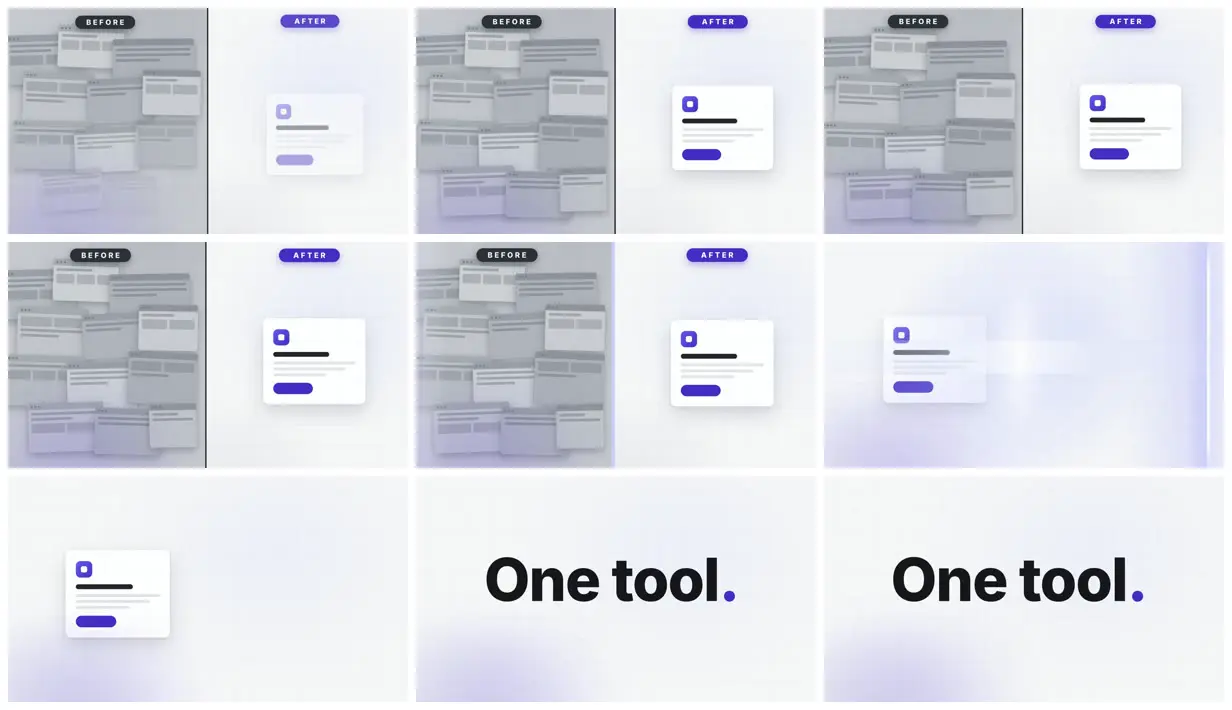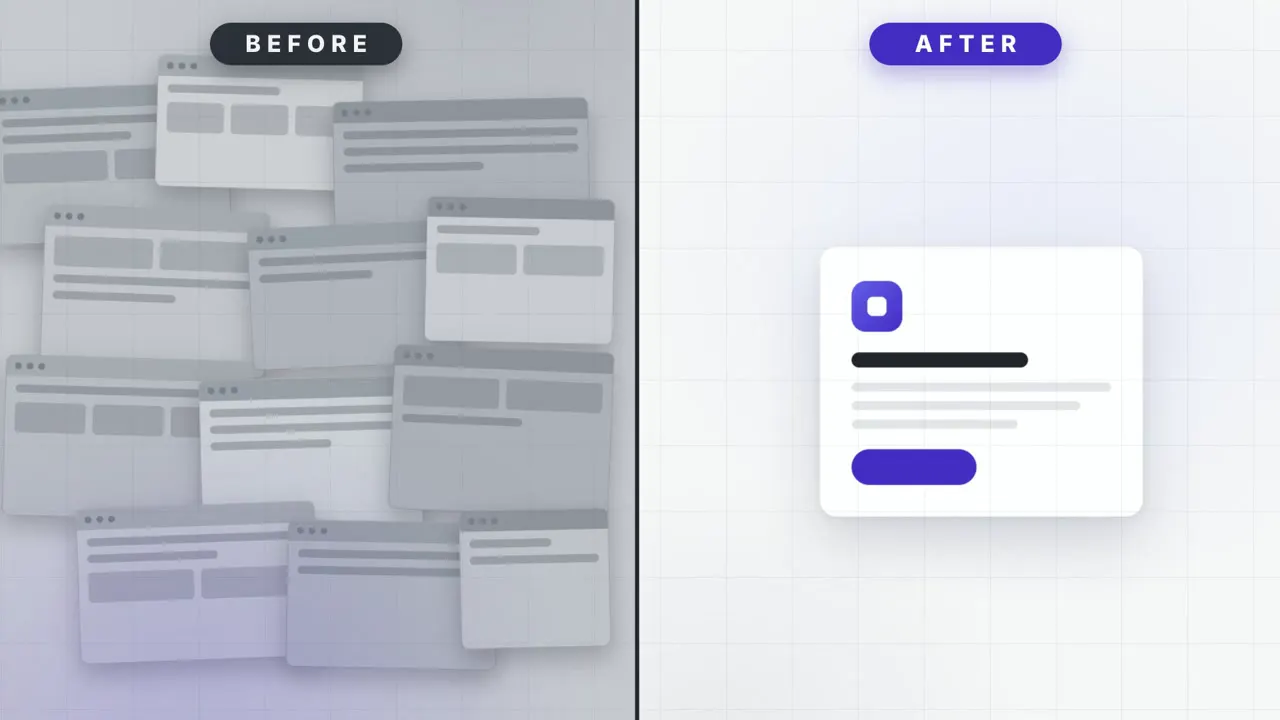
8-second 1920x1080 video. Vertical split: left half labeled "BEFORE" shows a cluttered mock UI (grey, 12 overlapping windows drawn in CSS), right half "AFTER" shows one clean card. Both halves settle within the first second. A vertical divider line sweeps left to right at 4s, wiping the clutter into the clean state across the full frame. End on "One tool." centered. No audio. **Spectacle beat:** The divider's wipe is the moment — a bright scan-line travels the split with a bloom as it crosses, and the AFTER half resolves behind it.
Make it yours. Change what fills each half ("12 overlapping windows" and "one clean card") to show your own before and after, and replace the closing line "One tool." with your tagline.
Before and after: clutter to one card
An 8-second split screen: a pile of grey mock windows under "BEFORE" sits beside one clean card under "AFTER", until a glowing divider sweeps across and wipes the clutter away. It ends on "One tool." in large type. Every element is drawn in CSS.
You'll need
- HyperFrames skills installed (npx skills add heygen-com/hyperframes)
- A motion preamble to paste above the prompt. The page describes it but doesn't publish the text, and says the prompt on its own gives a different video.
How it was made
The page says the video was "rendered from the prompt above, unedited", and the guide's overview calls the gallery "copy-paste prompts, each one-shots a finished video". Every example was run with a shared preamble pasted above the prompt. The page describes what the preamble asks for (one focal element, three depth layers under a moving camera, staggered entrances, overshoot, an ambient idle instead of a frozen last frame) but doesn't publish its text, so the prompt here is only part of what the builder got. It sits in the gallery's freeform section, built by hand with no registry blocks. The agent and model aren't named.
Posted Jul 29, 2026 · HyperFrames prompting guide on Website
Prompt from: Docs page "Verified example prompts", accordion "Before / after split", under "Freeform, no blocks"
Look notesby Reference
A light split screen of flat UI mockups: a heap of grey browser windows under a dark "BEFORE" pill beside one white card with a violet button under a violet "AFTER" pill, then the words "One tool.".
- Color
- Pale grey-white with a faint grid and soft lavender glows, mid-grey windows on the left, a white card with a deep violet icon and button, and near-black type with a violet period.
- Type
- Small, widely spaced caps in the pill labels ("BEFORE", "AFTER"). A heavy sans for the end line "One tool.", whose period is violet.
- Framing
- Two halves divided by a thin dark vertical line, each with its label at top-center. About a dozen overlapping windows fill the left half, and the card sits alone in the middle of the right. Later frames lose the divider and show a bright vertical band at the right edge, then the card on its own, then the end line centered.
- Sound
- Silent. The prompt says "No audio" and the file has no audio track.
- Structure
- The split holds through the first five frames. Then the clutter is gone and a bright band sits at the right edge, the card stands alone at left, and the last two frames show "One tool." centered.