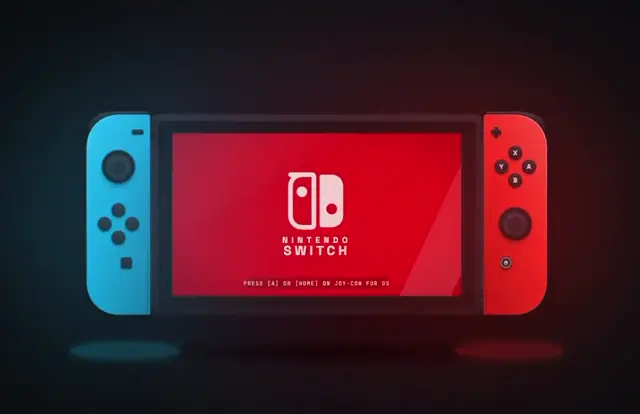
Create an SVG of a Nintendo Switch, with an animation of the controllers getting snapped into the console, and the screen booting up with the logo
Make it yours. Replace "a Nintendo Switch" and its two moments ("the controllers getting snapped into the console", "the screen booting up with the logo") with your own device and its moments.
Joy-Cons snap onto an SVG Switch and boot
A 7-second SVG animation from a one-sentence prompt: Joy-Cons snap onto a Nintendo Switch and the screen boots to the logo. The creator reran the prompt from their Gemini 4 Pro test on Claude Opus 5.5 at max effort, using 27% of a session on the $20 plan.
“Agreed, the controller sizing feels slightly off with Opus”
- Claude Opus 5.5
- SVG
- 27% of a session
How it was made
A rerun, a week later, of the prompt from the creator's Gemini 4 Pro vs. Opus 5 post, which this post quotes. Asked whether that was really the whole prompt, the creator answered "That is the prompt". The creator agreed with a reply that preferred Gemini's version and said the controller sizing looks slightly off in this one.
27% of a session limit on the $20 plan, at max reasoning
Posted Sep 22, 2026 · X · 249 likes · 48k views · 6 comments
Prompt from: The quoted post on X; asked for the prompt, the creator replied "Prompt is in the quoted tweet"
Look notesby Reference
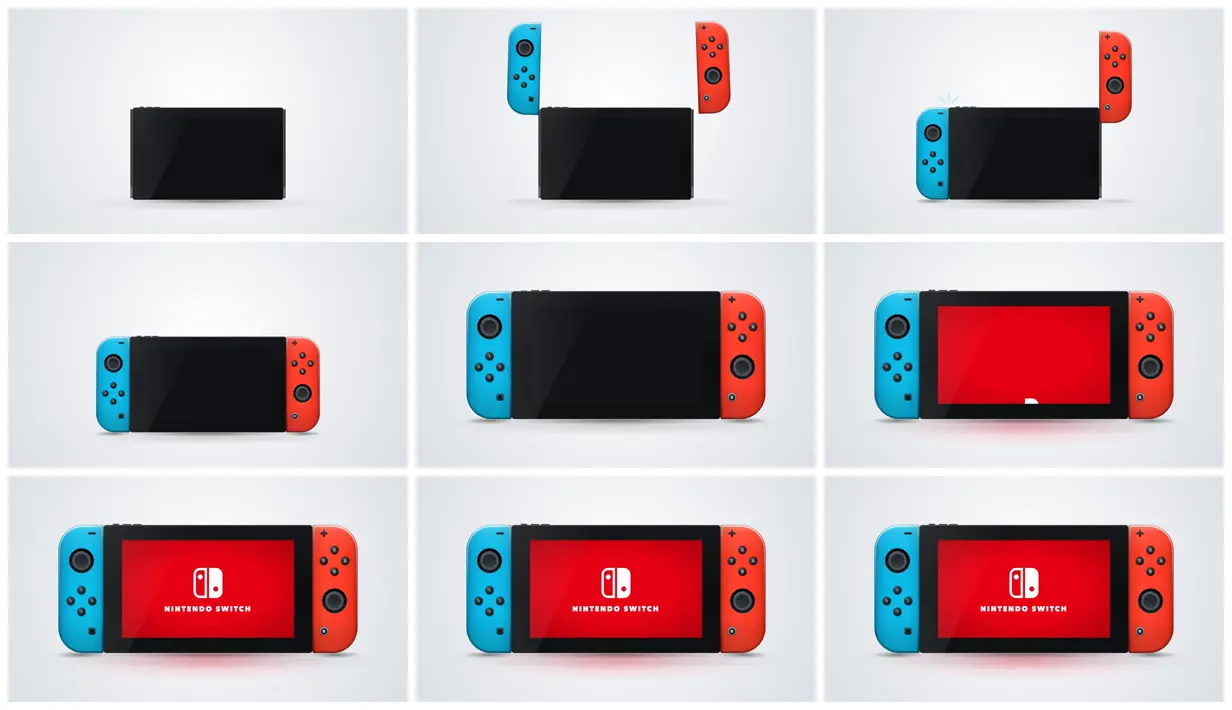
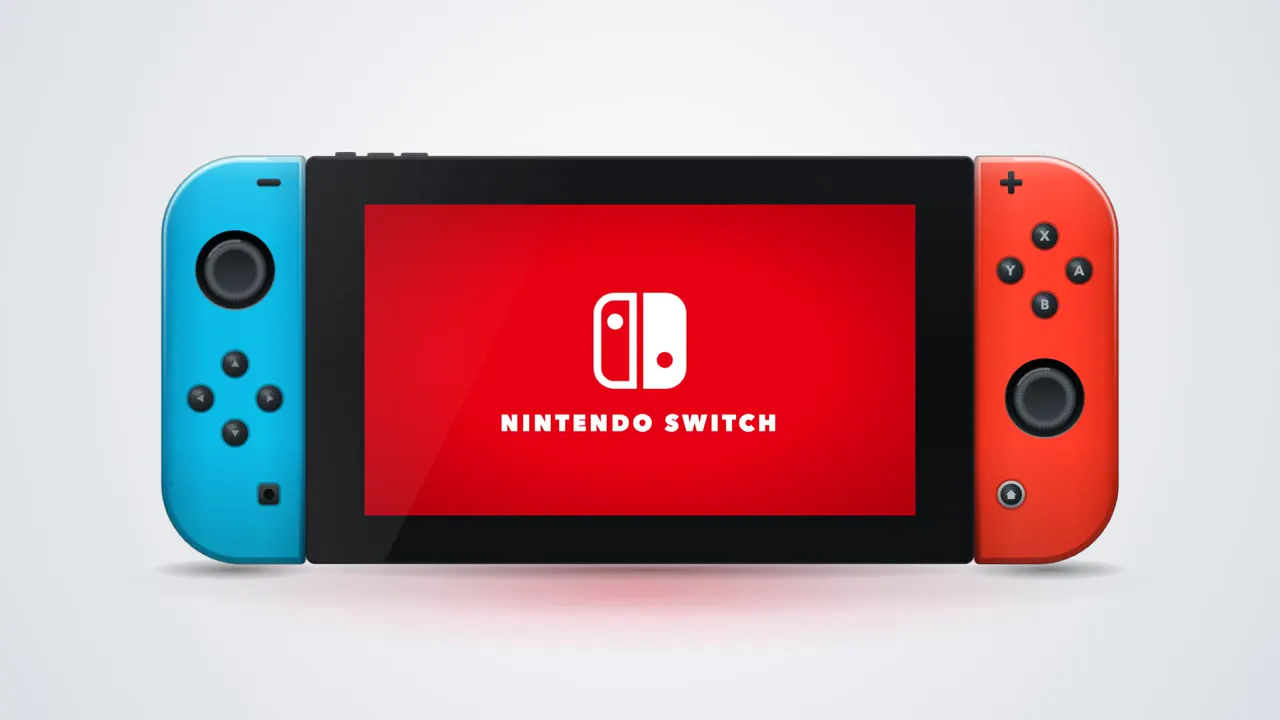
A clean SVG product shot: a black Nintendo Switch on a pale gray backdrop, its blue and red Joy-Cons dropping onto the sides, and the screen turning red to show the Nintendo Switch logo.
- Color
- Pale gray gradient backdrop, glossy black console, neon blue and neon red Joy-Cons, and a bright red boot screen with a soft red glow on the floor.
- Type
- Only on the boot screen: the white Switch logo mark over a small caps wordmark, NINTENDO SWITCH.
- Framing
- 16:9 with the console centered on a soft floor shadow. It starts small and fills more of the frame once both Joy-Cons are attached.
- Structure
- The bare console, both Joy-Cons above it, the left one snapping on with small click marks, both attached, a closer view, the screen filling red as the logo draws in, then the finished logo held.