use [HyperFrames by HeyGen Plugin] to create glassmorphism style UI animated on top of morphing backgrounds,  start with a rounded glassmorphism button with text "HyperFrames x Codex" cursor click on the button -

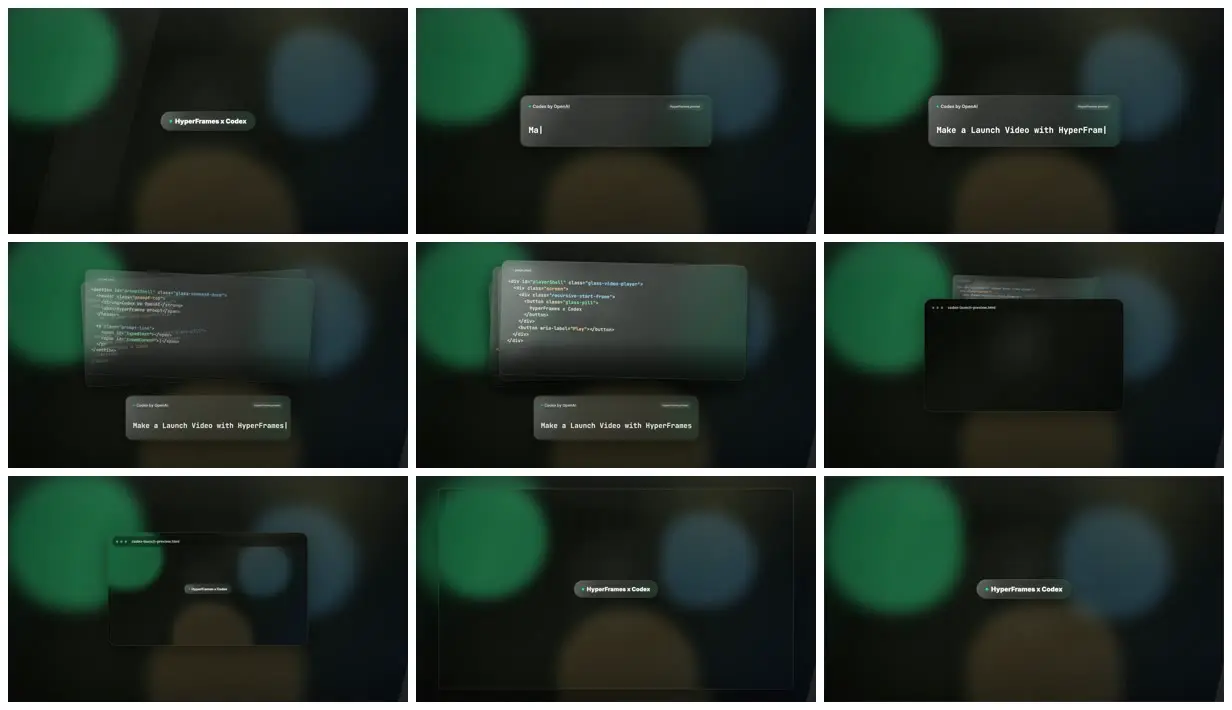
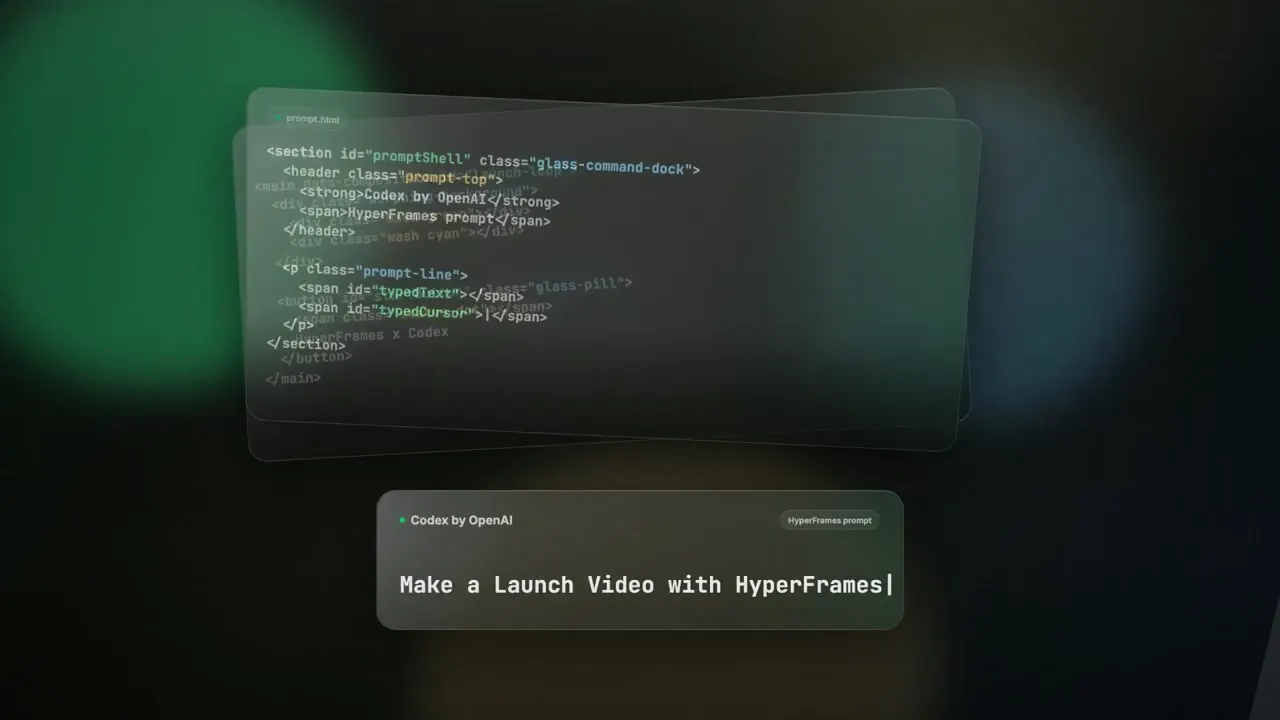
button expands into a glassmorphism input prompt box with "Codex by OpenAI" on the top left of the box, and typewriter effect typing out "Make a Launch Video with HyperFrames"

then new glassmorphism cards with HTML code snippets unfolding and then all of them combines into a glassmorphism video player with a play button,

when clicked it shows the exact same starting frame where a rounded glassmorphism button with text "HyperFrames x Codex" is showing, zoom this player to full screen and show a cursor trying to click on the button

(which creates a looping effect of this video essentially, but the video should end right here)
Make it yours. Replace the button text "HyperFrames x Codex" and the typed line "Make a Launch Video with HyperFrames" with your product's words. Keep the last two paragraphs, which make the ending return to the first frame.
Looping glassmorphism UI launch clip
A 12-second launch clip: a glass button expands into a Codex prompt box, code cards unfold and merge into a video player, and the player opens on the first frame so the clip loops. Made in one shot in Codex with the HyperFrames plugin.
You'll need
- Codex with the HyperFrames by HeyGen plugin installed
How it was made
A one-shot remake of the creator's earlier Claude Design and HyperFrames version, which took two prompts that weren't published. The model isn't named. The creator's bio says they work on HyperFrames at HeyGen.
Posted Apr 27, 2026 · X · 204 likes · 31k views · 13 comments
Prompt from: Reply in the thread
Look notesby Reference
Frosted-glass UI panels over a dark field of large blurred green, blue, and amber orbs: a pill button, a Codex prompt box, stacked code cards, and a browser-style player window.
- Color
- Near-black green-gray background with soft-focus orbs of emerald, slate blue, and amber; smoky translucent panels with thin light borders; white text and syntax-colored HTML.
- Type
- A small bold sans-serif on the pill ("HyperFrames x Codex"), a monospace line in the prompt box ("Make a Launch Video with HyperFrames") with a cursor bar, a small "Codex by OpenAI" label at the box's top left, and code on the cards.
- Framing
- One centered element at a time on the blurred field: the small pill, the wide prompt box, a stack of code cards above the box, then a player window titled "codex-launch-preview.html", first small and then full frame with the pill inside.
- Structure
- The pill button, the prompt box first reading "Ma" and then "Make a Launch Video with HyperFram", HTML code cards stacked above it, a player window in front of the cards, the window holding the pill button, and the full-frame pill again, matching the first frame.