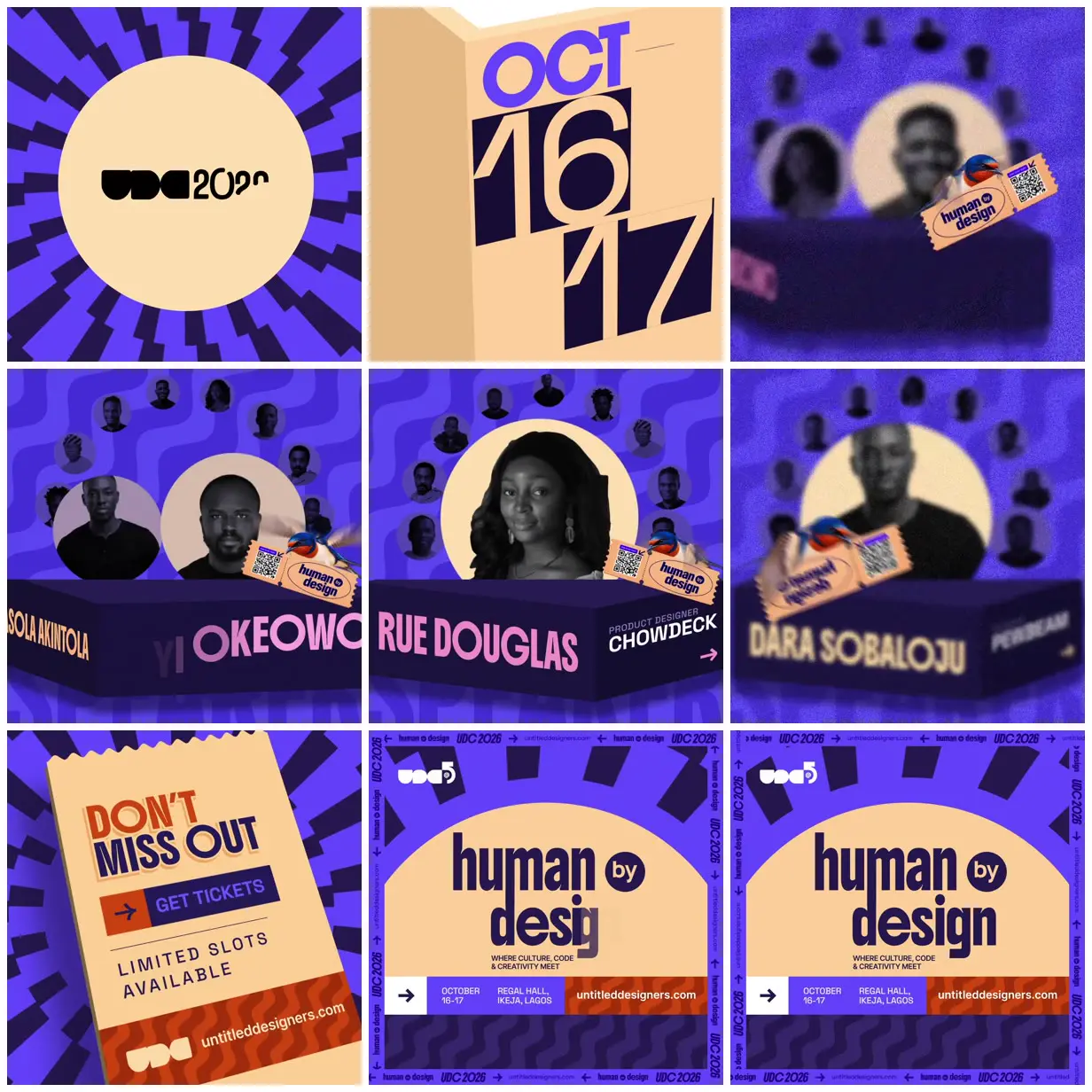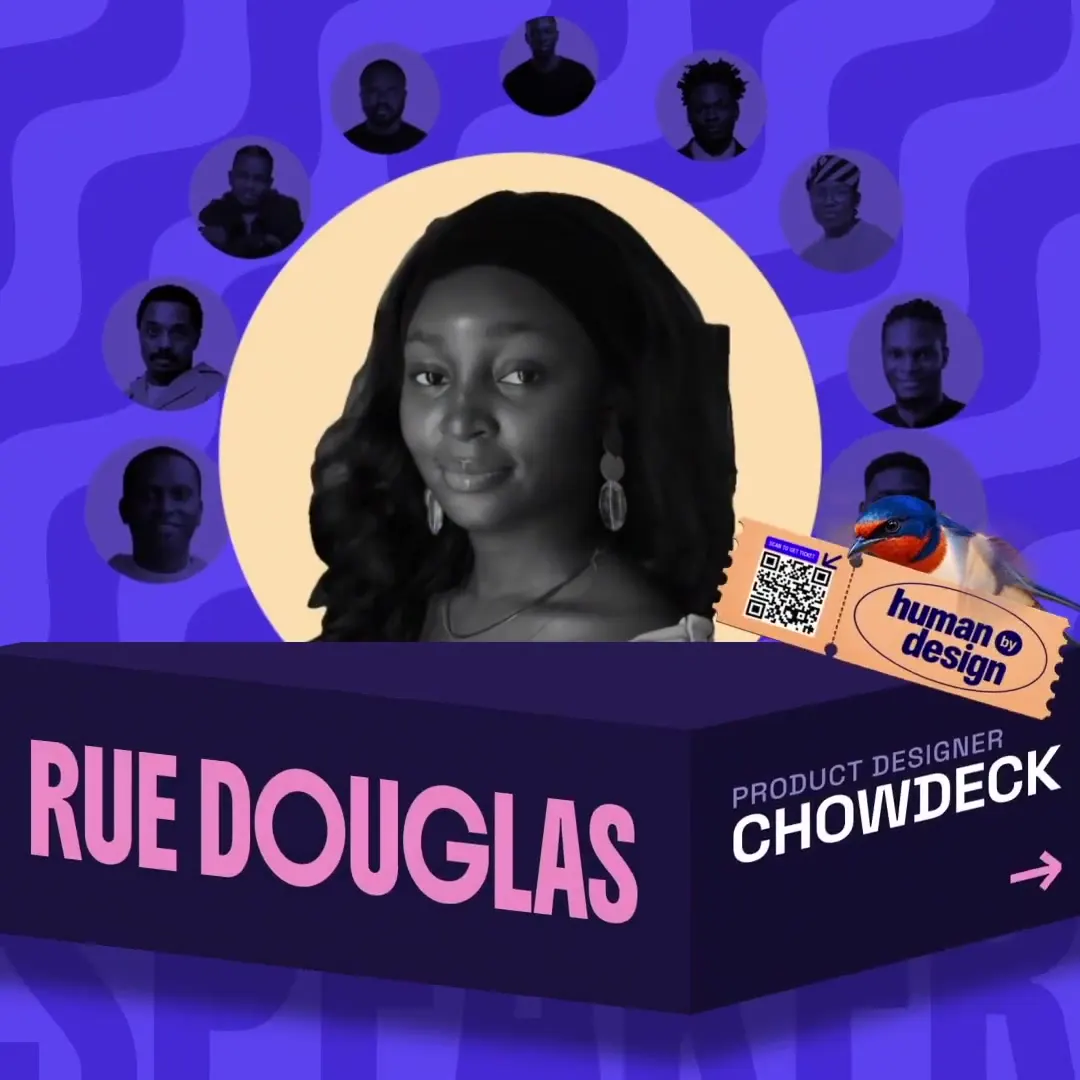
Speaker carousel promo for UDC 2026
A 24-second square promo for UDC 2026 in Lagos: black-and-white speaker cut-outs on beige circles turn on a carousel, and a bird brings a ticket. A motion designer had Claude work inside the open After Effects project through an MCP server.
“Not 100% but i have my Opus connected to AE through an MCP so it can edit with me.”
<setup>
Claude is connected directly to my open After Effects project through the AE MCP.
Work inside the Inner comp where the speaker ring already exists.
</setup>

<reference>
The 17 UDC speakers + their names/titles from the UDC website.
</reference>

<goal>
Put all the speakers into the existing circles.

Rename the image files to their actual names and titles from the website.

Isolate each speaker from their background and give all of them the same flat beige background. Make the people black and white, but keep the background coloured.

The ring should eventually rest on these 4:
Obasola → Niyi → Rue Douglas → Dára Sobaloju.
</goal>

<controls>
One controller for the background colour of every circle.

Every circle except the front one should have a tint/darken effect. As a circle approaches the front, ease that effect off until the original image is visible.
</controls>

<constraints>
Keep the ring animation I already made.
Do not rebuild the movement unless necessary.
</constraints>
<setup>
Claude is connected directly to my open After Effects project through the AE MCP.
Work in a copy of Comp 2.
Remove the curved wall.
Keep the speaker movement/timing that already exists.
</setup>

<reference>
Use this sketch for how the circles should now be arranged.
</reference>

<goal>
Redesign the Inner comp so the speaker circles are 2D instead of 3D.

The centre circle should scale up the most while the surrounding circles remain smaller around it.

Add a name block underneath:
speaker name on the front face, role/company on the side.

When the next speaker reaches the centre, rotate the block into the next person's information.
</goal>

<controls>
I need control over:
- Centre circle size
- How tightly the other circles sit around it
- The shape of the name block
</controls>

<constraints>
Use normal keyframes. I need to be able to change the timing myself.

The name block and speaker circles should move together and ease to a stop together.

Don't make the text just jump between names. The change should feel like an actual rotation.
</constraints>
<setup>
Claude is connected directly to my open After Effects project through the AE MCP.
Work in Comp 2.
The bird, ticket and speaker scene already exist.
I created a layer called "Bird mock path". Use that as the flight path.
</setup>

<goal>
Animate the bird flapping its wings and flying into the scene holding the ticket in its beak.

The ticket should lightly wiggle while it flies.

When the bird gets to the right side, don't make it land. Let it continue flapping and hover lightly.

Then turn the bird to face the opposite direction and swap to the flipped ticket so the text still reads correctly.
</goal>

<animation>
Make the wing movement fast, closer to a hummingbird, but still feel like motion design.

The near wing should pass in front of the body where appropriate, not behind everything.

Keep the hover subtle. No heavy bobbing.
</animation>

<constraints>
Use normal position keyframes so I can adjust the flight speed myself.
Be logical with the layer order between the wings, body and ticket.
</constraints>
<setup>
Claude is connected directly to my open After Effects project through the AE MCP.
Work in the existing speaker comp and preserve its current layout and animation.
</setup>

<reference>
Use only the wavy pattern from the storyboard given.
</reference>

<goal>
Recreate it as the background of the speaker scene.

It should only appear above the name block, not behind the SPEAKER text.

Keep the existing colours of the speaker page.
</goal>

<build>
Use shape layer properties to make the pattern.

The curves and thickness need to be even.

Give me a control for the amount of waviness.

Then make the whole pattern drift very slowly along the direction it's pointing.
</build>

<constraints>
Don't draw the waves individually by hand.
</constraints>
Make it yours. Keep the <setup> line "Claude is connected directly to my open After Effects project through the AE MCP." and rewrite <goal> for your own comps, for example the four names in "The ring should eventually rest on these 4". The <controls> and <constraints> blocks, such as "Use normal keyframes. I need to be able to change the timing myself.", keep the result editable by hand.
You'll need
- Adobe After Effects with an MCP server that connects it to Claude
- Your own After Effects project: the prompts refer to the creator's existing comps, speaker ring, sketch, storyboard, and a "Bird mock path" layer
How it was made
A working motion designer's session, not an autonomous run, and these are "some of the main prompts". Through an After Effects MCP server, Claude placed the 17 speaker photos, cut them out onto beige, rebuilt the ring in 2D with a rotating name block, animated the bird's wings and hover, and built the wavy background from shape layers with controls. The creator built the intro, the original 3D speaker ring and its spin, the bird's flight path, the ticket's 3D fly-in, the arrow animations, and the final timing, cuts, and polish. They say there were a lot of fixes by hand, but it was much faster than working alone.
Posted Sep 30, 2026 · X · 2.6k likes · 260k views · 79 comments
Prompt from: Self-reply on X, under four headings
Look notesby Reference
A bold event promo on electric violet: a sunburst intro, giant date numerals, a carousel of black-and-white speaker portraits on beige circles above a dark name block, a small bird carrying a ticket, and a poster-style end card.
- Color
- Electric violet, deep indigo, warm beige, and burnt orange, with pink and cream name type and grayscale portraits.
- Type
- A blocky UDC wordmark, stencil-cut numerals for OCT 16 17, heavy condensed caps for speaker names on the block's front face with roles on its side, and "human by design" in tall condensed lowercase on the end card.
- Framing
- Square frames with one large front portrait and smaller circles fanned behind it in an arc, the name block across the lower half, wavy violet lines in the background, and the bird hovering at the right edge with a ticket in its beak. The end card is framed by a repeating UDC 2026 border.
- Structure
- UDC 2026 logo on a sunburst, OCT 16-17 on folding panels, the speaker carousel resting on several speakers, a "Don't miss out, get tickets" ticket, and the "human by design" card with the venue (Regal Hall, Ikeja, Lagos) and untitleddesigners.com.