Create a Remotion project that renders a BMS Active Cell Balancing animation. 10 seconds, 30fps, 1280x720, output as MP4.

  Setup:
  mkdir remotion-bms && cd remotion-bms
  npm init -y
  npm i remotion react react-dom
  npm i -D @remotion/cli typescript
  tsconfig.json: ES2022, jsx: react-jsx, moduleResolution: bundler, module: ESNext

  Project structure: src/index.ts, src/Root.tsx, src/BmsCellBalancing.tsx

  Animation (BmsCellBalancing.tsx):
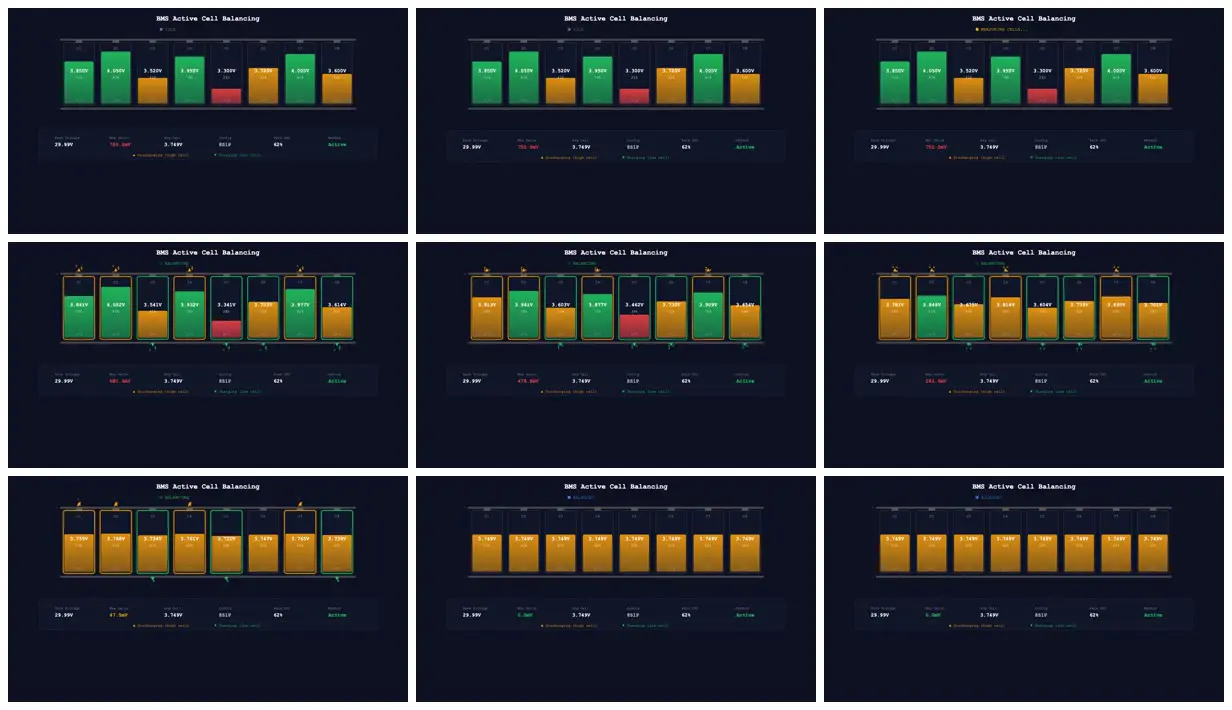
  8 cells (8S1P) in a pack, dark theme (#0b1120), Courier New font. Initial voltages unbalanced between 3.3V and 4.05V. Background with subtle grid lines.

  Phases (at 300 frames total):
  - Frame 0..60: IDLE, show unbalanced cells
  - Frame 60..90: MEASURING CELLS... (yellow status dot)
  - Frame 90..240: BALANCING (green pulsing dot), voltages converge via smoothstep to average
  - Frame 240..300: BALANCED (blue)

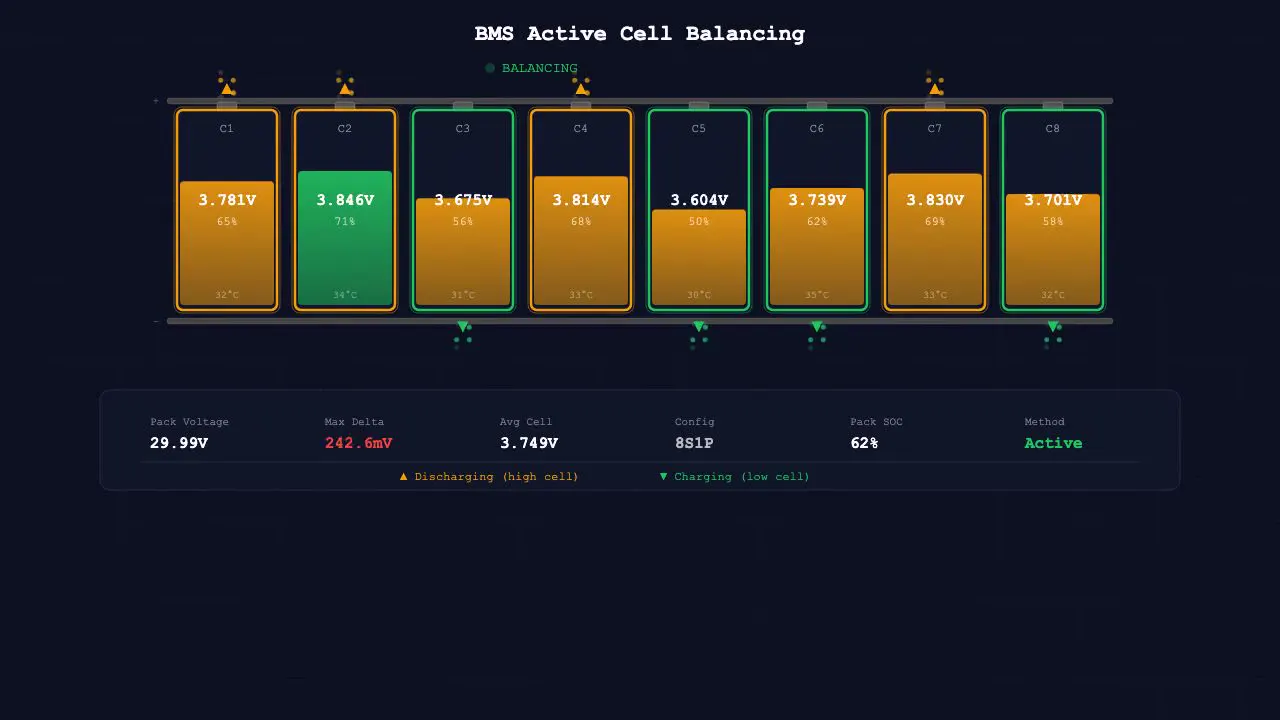
  Each cell shows:
  - Color-coded SOC fill level (green when high, orange when medium, red when low) with gradient
  - Terminal nub on top, bus bars top/bottom connecting all cells
  - Voltage display (3 decimal places), cell label (C1..C8), SOC in %, temperature
  - During balancing: green border + arrow down for cells below avg (Charging), orange border + arrow up for cells above avg (Discharging)
  - Particle animation visualizing energy flow
  - Shimmer effect on the fill level

  Info panel at bottom with spring animation: Pack Voltage, Max Delta (color-coded: green below 10mV, orange below 50mV, red above), Avg Cell, Config (8S1P), Pack SOC, Method: Active

  Legend at bottom: "▲ Discharging (high cell)" orange, "▼ Charging (low cell)" green

Render: npx remotion render src/index.ts BmsCellBalancing out/bms-cell-balancing.mp4Make it yours. Keep the structure (setup, phases by frame range, what each element shows, render command) and swap the subject: "BMS Active Cell Balancing", "8 cells (8S1P)", the four phases, and the info panel fields.
Active cell balancing in a battery pack
A 10-second animation of active cell balancing in an 8-cell battery pack: the cells start unbalanced, get measured, and converge, with charge levels, voltage readouts, and an info panel. The prompt covers everything from npm setup to the render command.
You'll need
- Node.js and npm; the prompt includes the commands to set up the Remotion project from scratch
How it was made
Posted Feb 5, 2026 · Remotion Prompt Showcase on Website · 18 likes
Prompt from: Remotion Prompt Showcase entry, submitted by the creator
Look notesby Reference
A dark engineering dashboard: eight battery cells in a row with color-coded charge fills and voltage readouts, a status line above, and a stats panel below.
- Color
- Near-black navy with a faint grid, cell fills in green, amber, and red, and white and gray text with green, red, yellow, and blue status accents.
- Type
- A typewriter-style monospace throughout: a bold white title (BMS Active Cell Balancing), small labels C1 to C8, three-decimal voltages, and a stats row (Pack Voltage, Max Delta, Avg Cell, Config 8S1P, Pack SOC, Method Active).
- Framing
- A centered strip of eight tall cells between two bus bars in the upper half, the stats panel and a one-line legend below it, and empty dark space at the bottom.
- Structure
- Unbalanced cells from 3.300V to 4.050V with one red low cell and a 750.0mV max delta, a measuring status, four frames of balancing with orange and green outlines and small arrows as the voltages close in, then every cell at 3.749V with matching amber fills and a 0.0mV delta in the last two frames.