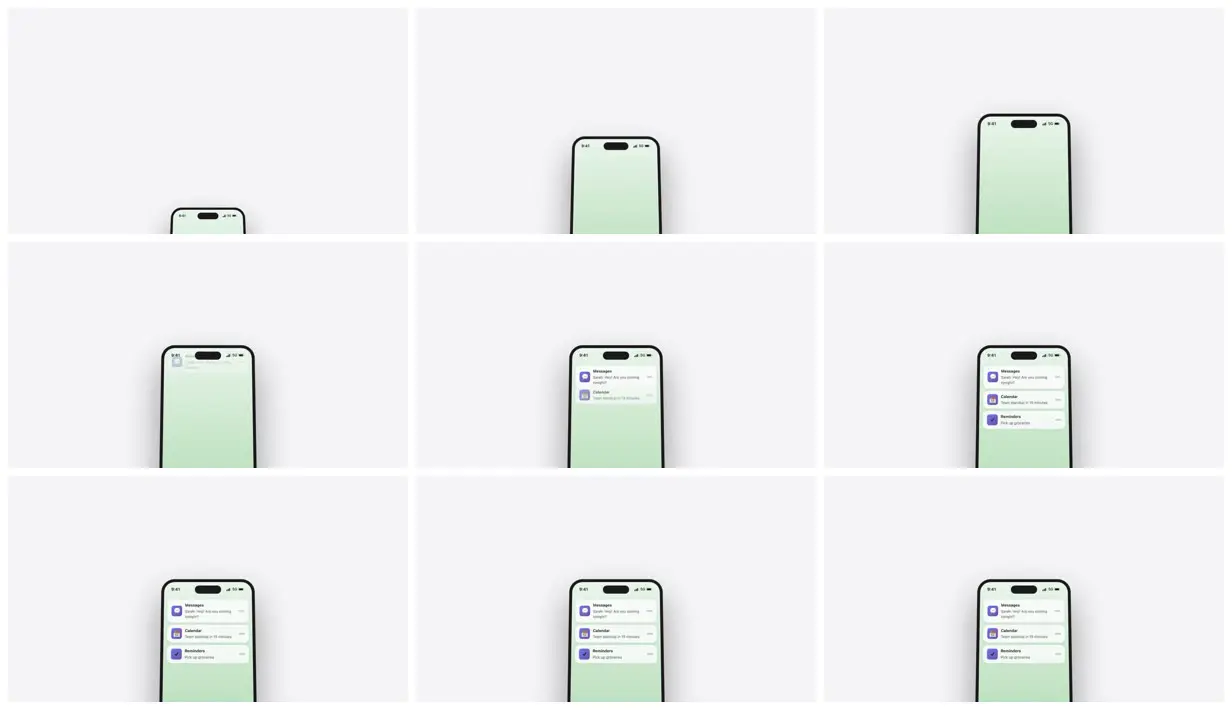
  Create a 1280x720 (720p) video with a LARGE iPhone mockup that rises dramatically from the bottom of the screen
  with an Apple keynote-style animation. The device should be massive and cinematic - taking up approximately 60-70%
   of the frame height.

  Video setup:
  - Width: 1280px
  - Height: 720px
  - FPS: 30
  - Duration: 4 seconds

  The animation should:
  1. Start positioned below the visible area (translateY: 400px down)
  2. Rise upward with a smooth deceleration (ease-out cubic)
  3. Include a perspective tilt that starts at ~35 degrees and settles to ~8 degrees
  4. Scale from 0.8 to 1.0 during the animation
  5. Total animation duration: 1.5 seconds

  Device specifications:
  - Width: 320px, Height: 650px (proportioned for 720p)
  - Realistic iPhone frame with dark bezel (#1a1a1a)
  - Border radius: 45px for the outer frame, 35px for the inner screen
  - Dynamic Island: 90px wide, 28px tall, centered at top
  - Status bar with "9:41" time and battery icon
  - Gradient wallpaper (light green tones: #e8f5e9 to #a5d6a7)
  - Large dramatic shadow: "0 60px 120px rgba(0,0,0,0.4)"
  - Subtle inner glow: "0 0 0 1px rgba(255,255,255,0.1) inset"

  IMPORTANT - Centering the device:
  - Position: absolute
  - bottom: -250px
  - left: "50%"
  - transformOrigin: "center bottom"
  - Transform must include translateX(-50%) FIRST to center horizontally, then the other transforms

  Transform order: translateX(-50%) → translateY() → rotateX() → scale()

  After the device settles, animate iOS-style notification cards sliding down from above with staggered timing (0.3s
   apart), each with blur backdrop and rounded corners.

  Use Remotion's interpolate() with Easing.out(Easing.cubic) for all animations. Background should be a clean light
  gray (#f5f5f7).
Make it yours. Change the wallpaper ("#e8f5e9 to #a5d6a7"), the background ("#f5f5f7"), and the tilt ("starts at ~35 degrees and settles to ~8 degrees"). Keep the "IMPORTANT - Centering the device" block and the transform order as written.
Keynote-style iPhone mockup rising in
A 4-second Apple-keynote-style shot: a large iPhone mockup drawn in code rises from below the frame with a perspective tilt, then iOS-style notification cards slide in. The prompt spells out every size, color, shadow, easing, and the transform order.
You'll need
- A Remotion project (npx create-video@latest)
How it was made
Posted Feb 25, 2026 · Remotion Prompt Showcase on Website · 36 likes
Prompt from: Remotion Prompt Showcase entry, submitted by the creator
Look notesby Reference
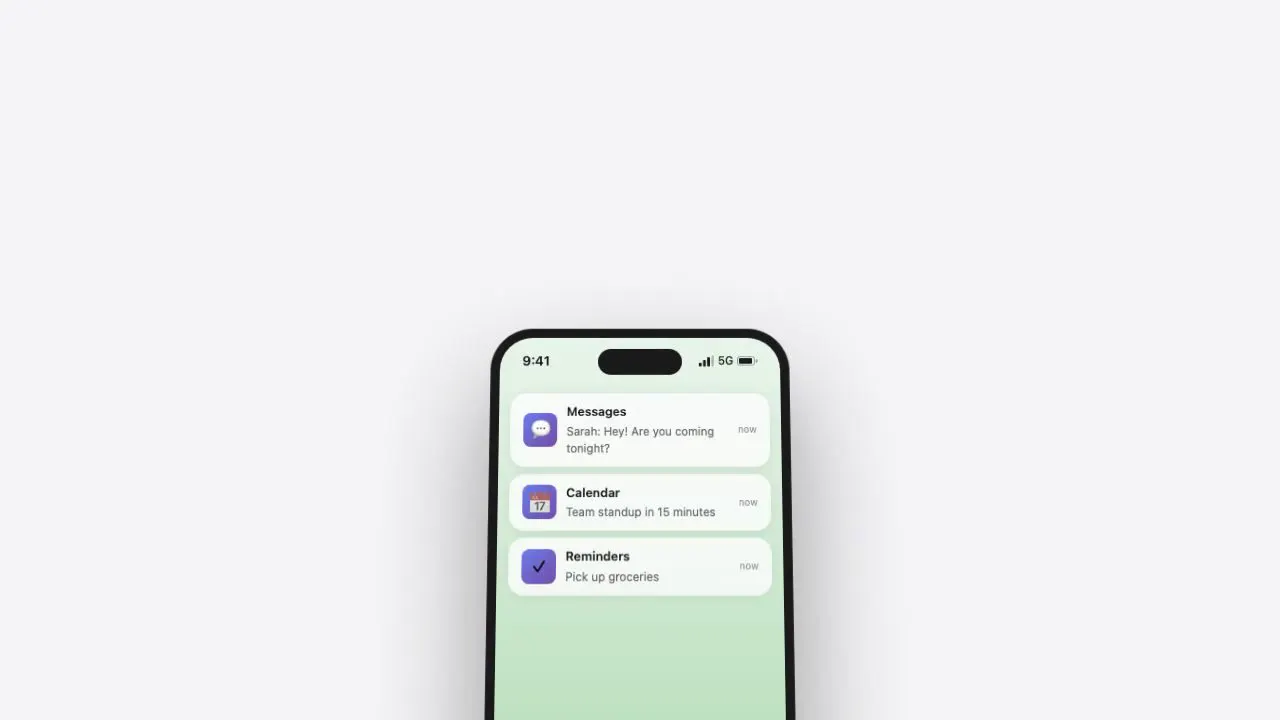
A keynote-style device shot on a pale gray stage: a black-bezel iPhone mockup with a Dynamic Island and a soft green wallpaper, cropped by the bottom edge, collects three iOS-style notification cards.
- Color
- Pale gray background, near-black bezel, a mint-to-green gradient screen, and white cards with violet app icons and dark gray text.
- Type
- Small iOS-style text: a 9:41 status bar, then notification cards with bold app names (Messages, Calendar, Reminders) over one-line previews such as "Pick up groceries".
- Framing
- The phone is centered and cut off by the bottom of the frame, so only its upper half shows. A soft shadow sits behind it, and the rest of the frame is empty.
- Structure
- Only the top of the phone above the bottom edge, the phone higher and larger with a blank screen, Messages and Calendar cards appearing, a Reminders card joining them, then all three held to the end.